

Sunday, 18 November 2018


Wednesday, 25 April 2018

VOYO VBook i7 Plus Review

VOYO is a very popular and leading Chinese electronics manufacturer and they had recently announced the VOYO VBook I7 Plus 2-in-1 Tablet PC. The VOYO VBook I7 Plus features some very powerful hardware along with original Windows 10 Home inbuilt and the VBook I7 Plus is priced at $699.
The $700 price range is very well known for some really competitive laptops including 2-in-1 Tablet PC from very popular manufacturers. So in the competition, where does the VBook I7 Plus stack up and is it worth the amount you pay? This is what we will be finding out in this in-depth review of VOYO VBook I7 Plus.
The $700 price range is very well known for some really competitive laptops including 2-in-1 Tablet PC from very popular manufacturers. So in the competition, where does the VBook I7 Plus stack up and is it worth the amount you pay? This is what we will be finding out in this in-depth review of VOYO VBook I7 Plus.
VOYO VBook I7 Plus: Specification
| VOYO VBOOK I7 Plus | Specification |
|---|---|
| Display | 12.6 inch |
| CPU | Intel i7 7500U, 2.7GHz, Dual Core |
| GPU | Intel HD Graphics 620 |
| RAM | 8GB |
| Storage | 256GB + 256GB SSD Storage Capacity |
| Operating System | Windows 10 |
| Camera | 2.0MP front camera + 5.0MP rear camera |
| Battery | 10200mAh |
VOYO VBook I7 Plus: Design and Appearance
The VOYO VBook I7 Plus is a device that is targeted towards business use where people would often require a tablet on the go and a laptop for extended work. The VOYO VBook I7 Plus offers the functionality of both a tablet and a laptop within a single device and apart from that, the device offers a top notch built quality as well.
The VBook I7 Plus features an all-metal construction out of aluminum and magnesium alloy and the built of the device is really sturdy without any flexes or creaking noises anywhere to be found.
The VBook I7 Plus features an all-metal construction out of aluminum and magnesium alloy and the built of the device is really sturdy without any flexes or creaking noises anywhere to be found.

Being a device that focuses on portability, the device only weighs around 900grams which makes it one of the lightest laptops to carry around. The super lightweight and high-quality construction means that holding the VBook I7 Plus even with a single hand is not an issue at all.
The front of the VBook I7 Plus features its gorgeous 12.6-inch display along with a secondary camera on top of the display. The back of the device features the 360-degree hinge that can help users to play around with the device easily as a laptop or a tablet. The hinge can be set in four modes: tent, stand, laptop, and tablet. On the back, at the top center, there is a primary camera sensor as well.
The front of the VBook I7 Plus features its gorgeous 12.6-inch display along with a secondary camera on top of the display. The back of the device features the 360-degree hinge that can help users to play around with the device easily as a laptop or a tablet. The hinge can be set in four modes: tent, stand, laptop, and tablet. On the back, at the top center, there is a primary camera sensor as well.

There are a variety of ports available in the VOYO VBook I7 Plus. There is a USB Type-C port for charging and data syncing, a 3.5mm headphone jack, 2x USB 3.0 ports, a card slot, and a Micro-HDMI port. Also, there is also a dual channel inbuilt speaker as well.
VOYO VBook I7 Plus: Display
The VOYO VBook I7 Plus features a 12.6-inch 3K OGS capacitive IPS LCD screen with 2880×1920 pixel resolution. The awesome 3K display is one of the highlight features of the VOYO VBook I7 Plus. The display has a ratio of 3:2 and a super wide 178-degree viewing angle.

When comparing the 3K OGS IPS panel on the VOYO VBook I7 Plus to the 1080p panel that is found on most of its competitors, the difference is quite visible. Images are sharp, super detailed and the color accuracy is also on point.
The brightness of the display is also very good enough and the display gets bright enough to use even in direct sunlight.
The brightness of the display is also very good enough and the display gets bright enough to use even in direct sunlight.
VOYO VBook I7 Plus: Hardware and Performance
The VOYO VBook I7 Plus is really powerful on the hardware front as well. Powering the VOYO VBook I7 Plus is the Intel Core i7 – 7500U dual-core chipset that has a clock speed of 2.7GHz and can turbo boost up to 3.5GHz.
There is also 8GB of DDR4 RAM in the device, which can be upgraded up to 16GB.The GPU used in an inbuilt Intel HD Graphics 620 and there is also a 256GB SSD.
There is also 8GB of DDR4 RAM in the device, which can be upgraded up to 16GB.The GPU used in an inbuilt Intel HD Graphics 620 and there is also a 256GB SSD.

The Core i7 CPU, 8GB of RAM, and Intel HD 620 Graphics are really more than enough to take the device through all the daily tasks that anyone would normally do. Even when it comes to multitasking, the device can easily swift through various programs and processes without any hiccups.
The device is also good enough for gaming but the lack of a dedicated high-end GPU would mean that even if you are able to play graphic-intense games on the device, you will have to play them in the low graphics setting.
The device is also good enough for gaming but the lack of a dedicated high-end GPU would mean that even if you are able to play graphic-intense games on the device, you will have to play them in the low graphics setting.
VOYO VBook I7 Plus: Software

The VOYO VBook I7 Plus runs on the Windows 10 Home English version out of the box. Being a 2-in-1 device running on the latest Windows operating system, you can enjoy all the Windows features that are customized for both laptops and tablets in this single device.
VOYO VBook I7 Plus: Camera
There are two camera sensors available on the VOYO VBook I7 Plus. There is a 5MP primary camera on the back and a 2MP secondary camera on the front.
Well, both the camera sensors are not something to brag about but are good enough for a camera that you would expect out of a 2-in-1 Tablet.
Both the primary and secondary camera is good for the occasional pictures you may take out of it and provided that there is ample amount of lighting, the camera is capable of capturing a not-so-bad amount of details. However, as the light gets dimmer, so does the quality of pictures taken by the camera.
Well, both the camera sensors are not something to brag about but are good enough for a camera that you would expect out of a 2-in-1 Tablet.
Both the primary and secondary camera is good for the occasional pictures you may take out of it and provided that there is ample amount of lighting, the camera is capable of capturing a not-so-bad amount of details. However, as the light gets dimmer, so does the quality of pictures taken by the camera.
VOYO VBook I7 Plus: Connectivity
The VOYO VBook I7 Plus features support for WIFI 2.4GHz or 5.0GHz dual band and also features Bluetooth 4.0. The WIFI and Bluetooth connectivity does not lack on any front and connects or pairs with any devices very quickly.
VOYO VBook I7 Plus: Battery
There is a 10200mAh battery built-in to the VOYO VBook I7 Plus. The battery size of the device can take the device easily through an entire workday even with process hungry tasks.

Considering the huge 10200mAh size of the battery, one might think that charging the device would take a lot of time. However, the device can be charged from dead to a full 100% in less than 5 hours.


Saturday, 10 February 2018
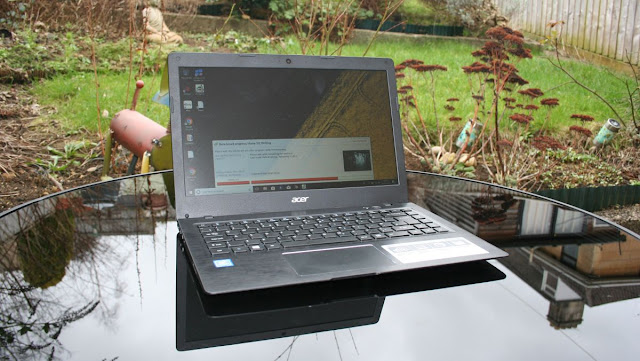
Acer Swift 1 review
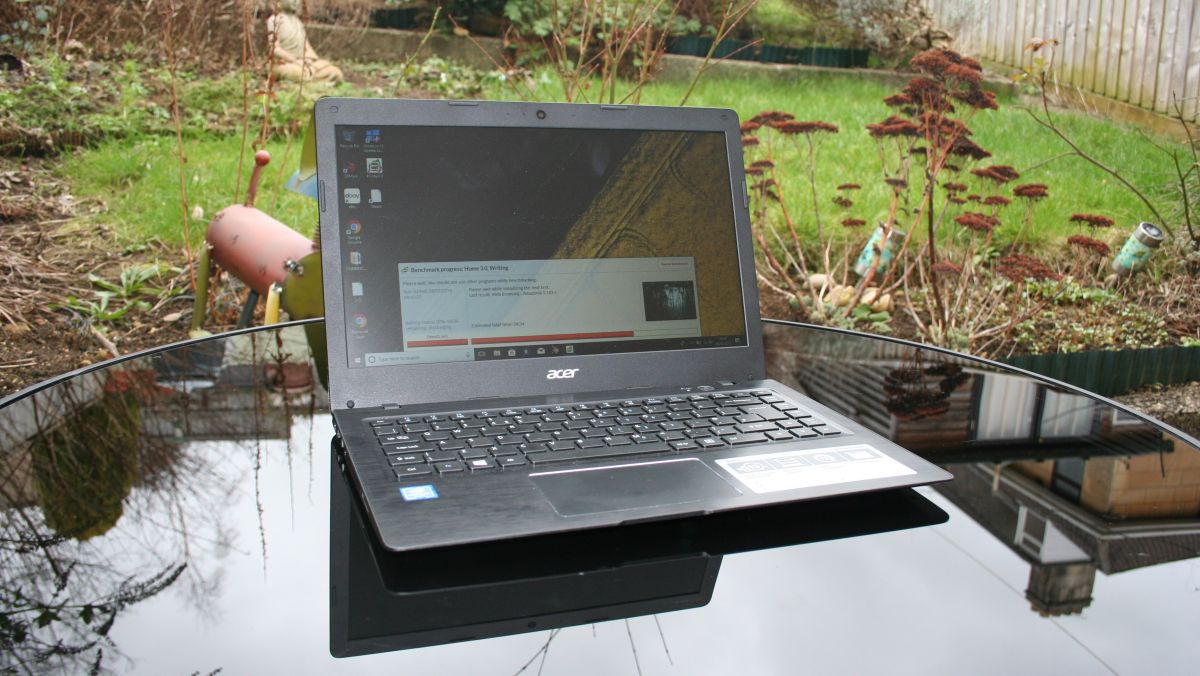
You’d be forgiven for thinking that there was only one OS in the budget laptop space these days, that being Chrome OS. Acer, a manufacturer of some quality Chromebooks itself, offers up a genuine alternative in the form of the Swift 1, packing a full Windows 10 Home experience into a machine that still manages to roll in at a tempting entry-level price.
To be fair to the plethora of Chromebooks available, the price being asked for this machine can net you a 15-inch Chromebook, such as the Acer Chromebook 15, but the full OS offered here makes for a reasonable counter argument to the added screen real estate. Being able to run the likes of Microsoft Office, Adobe Photoshop and indeed the full range of PC software on it should certainly appeal to the more business oriented.
The Acer Swift 1 isn’t just about offering a budget platform for Windows 10 Home though, and Acer is keen to push how stylish this machine is. Not only is it thin and light (something that was very much seen as a premium for a long time), but the overall build quality belies the asking price.
SPEC SHEET
Here is the Acer Swift 1 SF114-31 configuration sent to TechRadar for review:
CPU: 1.6GHz Intel Pentium N3710 (quad-core, 2MB cache, up to 2.56GHz burst frequency)
Graphics: Intel HD Graphics 405
RAM: 4GB DDR3L
Screen: 14-inch, 1366 x 768, LED-backlit
Storage: 128GB Flash Drive
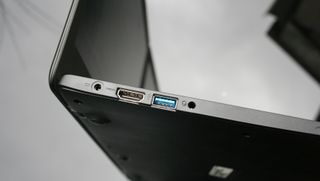
Ports: 1 x USB 3.0, 1x USB 2.0, Micro HDMI
Connectivity: 802.11ac wireless LAN
Camera: Built-in VGA video camera
Weight: 3.53 pounds (1.6 kg)
Size: 13.4 x 9.2 x 0.7 inches (340 x 235 x 18 cm; W x D x H)
Graphics: Intel HD Graphics 405
RAM: 4GB DDR3L
Screen: 14-inch, 1366 x 768, LED-backlit
Storage: 128GB Flash Drive
Ports: 1 x USB 3.0, 1x USB 2.0, Micro HDMI
Connectivity: 802.11ac wireless LAN
Camera: Built-in VGA video camera
Weight: 3.53 pounds (1.6 kg)
Size: 13.4 x 9.2 x 0.7 inches (340 x 235 x 18 cm; W x D x H)
Price and availability
It’s worth pointing out from the outset that there are several members of the Swift 1 family, with the most sought after models boasting a 1080p IPS screen. That is not the machine we have here though, instead we’re looking at its more affordable sibling that makes do with a more mundane display.
The version we’re looking at here ostensibly has a list price of £349, although we have seen it listed as low as £299. The same model can be picked up in the US for $329, although again, availability of specific models can be patchy. Similar models are available in Australia, for around AU$655, although they don’t quite match the unit we are looking at here.
This does cause a bit of a problem for the Acer Swift 1, because there are plenty of sexy displays to be had at this price, such as the Android spin of the Lenovo Yoga Book (£409, $499, AU$655) and the Windows-based Asus Transformer Mini T102HA (£349, $430, AU$699).
As stated, the model we’ve been supplied here uses a 1366 x 768 TN display, but does boast the larger 128GB flash drive and the faster quad-core Pentium processor compared to some of its siblings. Pricing doesn’t vary too much across the family though, so it’s a case of weighing up what’s currently available against your desired specification.
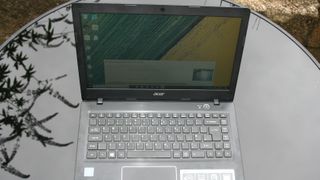
Value-wise we see the Acer Swift 1 as offering up a good compromise between size, base specification and operating system. The aforementioned Asus Transformer boasts a smaller 10.1-inch screen, while the cheaper version of the Lenovo Yoga Book ships with Android 6, and you’ll need to spend closer to £450 for the Windows equivalent. In that respect the Acer Swift 1 has something to offer.
Design
Acer makes a big deal of the design of the Swift 1, and rightly so. For a long time those eyeing up the budget end of the laptop market had to put up with a generic bulky machines, using poor materials, with little thought to actual style. This isn’t the case here, and the use of a brushed metal keyboard surround lends a dependable air to the system.
While there is still plenty of plastic on show, careful thought has been given to the overall look and feel of the laptop, and Acer hasn’t sidestepped the issue by making it garishly bright, instead settling for a more sober approach. It’s being positioned as a stylish, budget workhorse and hits that brief well.
One word of warning though: we did find that it was something of a magnet for fingerprints. It quickly replaced it’s sleek appearance with a grubbier patina, something that is particularly apparent in bright light.
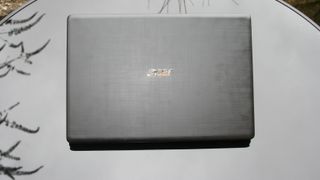
The Acer Swift 1 has a good heft to it, and feel solid enough to withstand the knocks and bangs of daily use. At 3.52 pounds it isn’t the lightest 14-inch laptop you can lay your hands on, but it isn’t so heavy that it’s a problem lugging it around.
Monday, 8 January 2018

Hands on: HP Spectre x360 15 (2018) review

HP has been at the 2-in-1 laptop game practically since its inception with the dawn of Windows 8, so it has this whole thing down pat pretty well. Regardless, there is always room for improvement and, for CES 2018, HP appears to have found every nook and cranny.
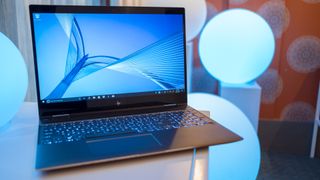
This is the 2018 HP Spectre x360 15: not a reimagining in any sense, but rather a refinement of last year’s rendition. Now, the laptop features two relatively high-power graphics options from AMD and Nvidia paired with the very latest Intel processors and a newly designed chassis that makes far better use of the 15-inch chassis.
With the Spectre x360 15, HP appears to have done an impressive job of striking a balance between contemporary design and hardware with respect for legacy.
Price and availability
HP hasn’t completely disclosed its pricing scheme for the Spectre x360 15, as it’s offering two different models of the device that differ only in graphics and processor options. But, we do know that it will launch on March 18 in the US through its own website and Best Buy for $1,369 (about £1,009, AU$1,742) to start.
Both models of the laptop come sporting a 15.6-inch 4K Ultra HD (3,840 x 2,160) touchscreen with IPS technology for wide viewing angles. Likewise, either version supports up to 16GB of DDR4 RAM. This is where the differences begin to show up.
One version comes housing an Intel Core i7-8550U processor paired with an Nvidia MX150 discrete graphics chip and an NVMe M.2 solid state drive (SSD) with up to 512GB of space.
The other includes Intel’s (and AMD's) very latest hardware: an Intel Core i7-8705G with Radeon RX Vega M discrete graphics that are embedded in the chip housing and up to 2TB of NVMe M.2 SSD storage.
Naturally, HP has yet to disclose pricing for these higher-end hardware options, but has said that all prices include an HP stylus pen in the box. That’s more than most rivals offer.
Design and feel
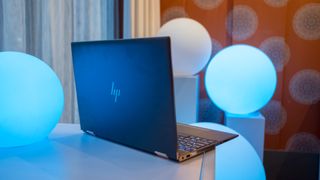
The latest Spectre x360 15 model adopts the more sophisticated and subtle design improvements that were brought to bear in the smaller Spectre x360. So, you’re looking at similarly muted, champagne gold-colored aluminum accents on the laptop’s edges and sides that beset a deep black aluminum lid and base.
That said, HP was forced to make this year’s Spectre x360 15 slightly thicker at 0.76 inches (19.3mm) so as to give more room for cooling these quad-core Intel processors. Granted, it’s not something you would notice without sitting both laptops beside each other.
However, at 4.61 pounds (2.09kg) for the Nvidia version and 4.72 pounds (2.14kg) for the AMD model, this is a laptop you might well feel in that backpack.
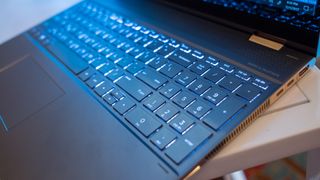
On the bright side, HP has made far better use of the space afforded it with a new number pad on the keyboard deck. Though, we wish HP wouldn’t have repositioned the touchpad to the left of the keyboard deck, and it feels a little on the small side to boot.
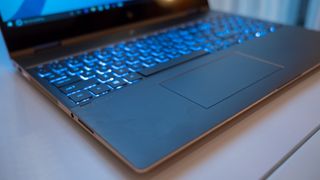
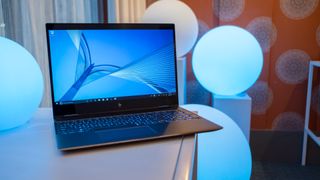
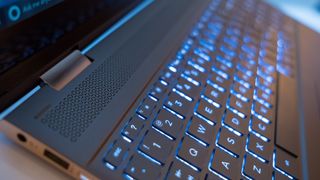
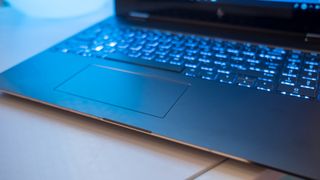
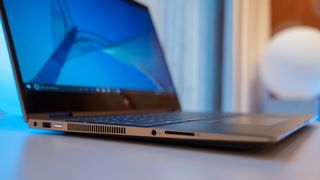

If you’re familiar with the Spectre x360’s keyboard, expect a similar experience here: punchy feedback and relatively deep travel. As for the touchpad, it seems to operate just fine – it’s just on the small side for a laptop of its size.
For more evidence of HP using the space afforded it smartly, the firm placed a top-firing speaker just beneath the display for far better volume – up to 60% louder, by HP’s measure. Further to that point, both models include a fingerprint reader for secure Windows Hello login as well as a Full HD webcam with an infrared sensor for the same purpose.
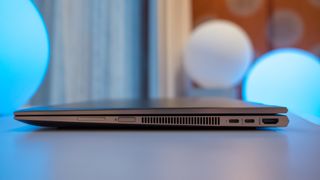
With these laptops, it’s clear that HP is looking to reach a happy medium between choice and simplicity as well as between modernity and legacy support. Nowhere does that become clearer than in the Spectre x360 15 port selection.
In the Intel-and-AMD model, HP has embedded two Thunderbolt 3 ports, one USB 3.1 port, one HDMI port and one headset jack. On the other hand, the Intel-and-Nvidia model houses just one Thunderbolt 3 port, but a USB-C 3.1 port in addition to the one USB 3.1 port, one HDMI port and one headset jack.
Rounding out connectivity for both models are 802.11ac (2 x 2) Wi-Fi and Bluetooth 4.2.
Performance
With such limited time with either version of the new HP Spectre x360 15, it’s difficult to discuss performance before a full review.
That said, considering Intel and AMD claim to offer Nvidia GTX 1050-level performance from their collaborative graphics solution, we can expect the model with AMD Vega graphics inside to outperform the one rocking Nvidia MX150 graphics.
As for longevity, HP promises up to 13.5 hours of use on a charge, which we’ll put to the test, of course. Better yet, HP integrated fast charging capabilities into the Spectre x360 15, giving it 50% charge in just 45 minutes. That will take a lot of the sting out of our real-world battery results likely falling short of HP’s claims, as they do with all laptops.
Early verdict
This year’s HP Spectre x360 15 isn’t any wild reimagining of the firm’s 15-inch 2-in-1 laptop, but rather a major refinement. However, more was done here than just adopting sensible design elements; HP made truly smart use of the space afforded by the 15.6-inch chassis.
From new login options to the inclusion of your choice of higher-power graphics solutions mixed with long-standing connectivity offerings, HP is straddling the line between modernity and legacy. And, judging by our brief time with the device, HP is doing a fine job of it.
Unlike most 2-in-1 laptop or Windows tablet manufacturers, HP even sweetens the deal with an included stylus, making a strong case for the Spectre x360 15 being a better value than most. To see whether that checks out in practice, stay tuned for a full review later this year.
Sunday, 24 December 2017


Microsoft Surface Book 2 (15-inch) review

Love it or hate it, you can’t deny that the original Surface Book wasn’t influential. Two years before the Surface Book 2 had occupied even a small portion of our mindshare, it wasn’t that the idea of a 2-in-1 laptop hadn’t been tried before. Hell, you could argue that Microsoft’s own Surface Pro tablets ignited this craze to begin with.
But, the Surface Book was the bigger and better version of the Surface Pro previously thought to be limited to our imaginations. It needed a hinge that could uphold a massive 13.5-inch (34cm) display. And, as funny as it looked, it ended up introducing exactly that. Fast-forward two years, and the Surface Book 2 is mostly a series of incremental refinements that we’ve come to expect not only from Microsoft, but from technology at large.
Most likely to pique your interest is that, if the Surface Book was a ‘Surface Pro XL,’ the 15-inch Surface Book 2 is a ‘Surface Book XL’. Bearing 1.5 inches of additional screen real estate this time around, there’s a lot more you can fit into a convertible laptop of this size. But, did Microsoft deliver on our long-standing Surface Book 2 wishlist? That’s for us to know and for you to find out.
SPEC SHEET
Here is the configuration for the Microsoft Surface Book 2 (15-inch) configuration sent to TechRadar for review:
CPU: 1.9GHz Intel Core i7-8650U (quad-core, 8MB cache, up to 4.2GHz with Turbo Boost)
Graphics: Intel UHD Graphics 620; Nvidia GeForce GTX 1060 (6GB GDDR5 VRAM)
RAM: 16GB LPDDR3 (1866Mhz)
Screen: 15-inch, 3,240 x 2,160 (260 ppi) PixelSense display (3:2 aspect ratio; 1600:1 contrast ratio)
Storage: 1TB PCIe 3.0 SSD
Ports: 2 x USB 3.1, 1 x USB 3.1 Type-C, 2 x Surface Connect, SD card reader, 3.5mm audio jack
Connectivity: 802.11ac 2 x 2 MIMO Wi-Fi, Bluetooth 4.1, Xbox Wireless
Camera: Windows 8MP rear-facing autofocus camera (1080p), 5MP front-facing Hello face-authentication camera (1080p HD)
Weight: 4.2 pounds (1.9kg) with keyboard base
Size: 13.5 x 9.87 x 0.568 ~ 0.90 inches (343 x 251 x 15 ~ 23mm; W x D x H)
Graphics: Intel UHD Graphics 620; Nvidia GeForce GTX 1060 (6GB GDDR5 VRAM)
RAM: 16GB LPDDR3 (1866Mhz)
Screen: 15-inch, 3,240 x 2,160 (260 ppi) PixelSense display (3:2 aspect ratio; 1600:1 contrast ratio)
Storage: 1TB PCIe 3.0 SSD
Ports: 2 x USB 3.1, 1 x USB 3.1 Type-C, 2 x Surface Connect, SD card reader, 3.5mm audio jack
Connectivity: 802.11ac 2 x 2 MIMO Wi-Fi, Bluetooth 4.1, Xbox Wireless
Camera: Windows 8MP rear-facing autofocus camera (1080p), 5MP front-facing Hello face-authentication camera (1080p HD)
Weight: 4.2 pounds (1.9kg) with keyboard base
Size: 13.5 x 9.87 x 0.568 ~ 0.90 inches (343 x 251 x 15 ~ 23mm; W x D x H)
Price and availability
Surprising no one, the 15-inch Surface Book 2 is a hugely expensive laptop, with the configuration we’ve tested coming in at a crazy $3,299 (about £2,503, AU$4,341). Naturally, this is the highest end that the Surface Book 2 gets, with the entry-level model starting at a still-steep $2,499 (about £1,847, AU$3,288) – its only difference being a much smaller 256GB SSD inside.
Sadly, the 15-inch version of the Surface Book 2 won’t be available in the UK or Australia until 2018, we’re told.
The 13.5-inch version starts at $1,499 (£1,499, AU$2,199) for a 7th-generation Kaby Lake Intel Core i5 processor with integrated graphics and 256GB of storage – getting the Nvidia GTX 1050 graphics and 8th-generation Intel Core i7 CPU will cost you $1,999 (£1,999, AU$2,999), with each storage option from there costing another 500 bills in all currencies.
The 13.5-inch version of the Surface Book 2 is different enough from the 15-inch version that we felt it warranted a separate review, explaining our deliberate choice to write one. Likewise, there’s a vast distinction in the financial barrier of entry as well.
Keep in mind that none of these prices include Microsoft’s $99 (£99, AU$139) Surface Pen. And yes, we will keep calling Microsoft out on this until it begins bundling this nigh-crucial accessory in with the price of its Surface devices again.
For comparison’s sake, Apple’s 15-inch MacBook Pro with Touch Bar starts at $2,399 (£2,349, AU$3,499) for a 7th-generation Intel Core i7 processor an AMD Radeon Pro 555 graphics chip with 2GB of VRAM, 16GB of memory and a 256GB SSD – all powering a 2,880 x 1,800-pixel 15.4-inch display at 220 pixels per inch as well as an OLED Touch Bar.
For another 100 bucks, you’re getting a more up-to-date processor and far stronger graphics powering a sharper display with touch control that detaches and acts as a tablet. Not accounting for personal taste, it’s tough to dispute that the Surface Book 2 is the better value here.
For a similarly premium, albeit far less versatile, laptop experience, the Dell XPS 15 starts at a much more approachable $999 (£1,429, AU$2,209) for 7th-generation Intel Core processors and Nvidia GTX 1050 graphics at higher-end configurations.
Design
It’s no understatement to say that, from a look and feel perspective, Microsoft simply took the original Surface Book and blew it up in all dimensions to make the Surface Book 2 a 15-inch device in all its brushed aluminum splendor. While Microsoft clearly put a lot of effort in vastly increasing the laptop’s power profile and screen technology, this is, in many ways, simply a bigger Surface Book.
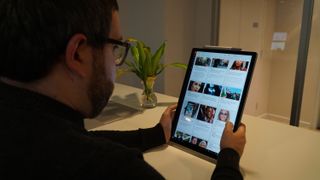
That’s not necessarily a bad thing, mind you. Microsoft has clearly taken what it had learned from the Surface Book i7 and went to town with it, crafting a power-packed 15-inch laptop that’s actually rather light. Better yet, when detached from its base, this is the lightest-feeling 15-inch tablet we’ve ever tested – to the point that it feels deceptively small in our hands.
That said, the Surface Book 2’s fulcrum hinge does make for a laptop that’s a little more unwieldy to cram into a backpack than most, and it’s now more pronounced than ever. Worse still, Microsoft didn’t do much design-wise with the extra space that 15 inches affords you.
For instance, the glass trackpad isn’t quite as wide or deep as, say, the 15-inch MacBook Pro’s when it very well could have been, given the space. Also, the lack of up-firing stereo speakers in the base is a glaring omission, with ample space on all three remaining sides of the keyboard for extra audio chambers.
Instead, we’re stuck with rather tinny, albeit front-firing, speakers on the tablet portion of the device. The bigger keyboard base should offer us bigger everything, frankly, not just bigger graphics. Worse yet is that the audio jack is still in the same weird, upper-right-edge position it’s always been, dangling over our hands and distracting us while typing.
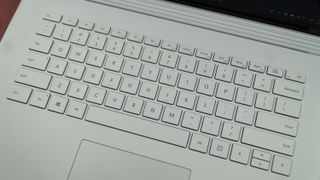
Speaking of which, typing on the Surface Book 2 is a pleasure, with a brightly backlit keyboard that demonstrates deep-enough travel and punchy feedback. However, in our view, the feedback could stand to be a touch more forceful – but that could be down to personal taste.
All told, we like the Surface Book 2 (15-inch) design quite a bit – even its 1080p webcam and rear camera should impress at the next meeting or in your Instagram feed. But, we can’t ignore the missed opportunities to refine the product that much further and make the experience that much bigger when it comes to how it feels, looks and sounds.

Display and Surface Pen
Of course, we’re just as in love with the Surface Book 2 (15-inch) display as we were with the previous two models. Text looks crisp on the screen as do photos and video, even if the 3:2 aspect ratio makes for some awfully thick black bars during the latter.
The display’s resolution is nigh-unmatched short of 4K laptops, and Apple’s MacBook displays can’t hold a candle to it pixel for pixel. While Apple’s P3 color gamut might tower over Microsoft’s panel in the eyes of art and media pros, we don’t see much difference between the two in regards to color reproduction.
We’re told that Microsoft devoted quite a bit of effort to improving the touch response in its latest PixelSense display for the Surface Book 2, and it shows in testing. If any lag between drawing on the screen with the Surface Pen and its appearance on the screen was there before, it’s certainly imperceptible now.
In fact, if you scribble on a sticky note and run the Surface Pen off of the note window – you’ll see traces of ink appear on whatever is there, though it will almost immediately disappear. That’s a special processor rendering the ink before even Windows 10 does, we’re told, which should speak to the absence of latency in the touchscreen.
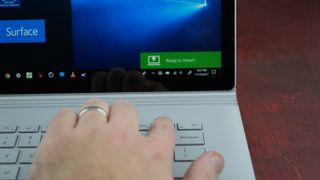
Plus, attaching and detaching the display from the keyboard base is as speedy as you’d expect from a wildly expensive computing device. Whether it’s going into tablet mode or back into a laptop, it’s less than a second before you’re successfully tapping or typing away.
At any rate, the Surface Book 2 screen goes to show that Microsoft can craft displays worthy of comparison against the technology world’s greatest in basically every metric.


